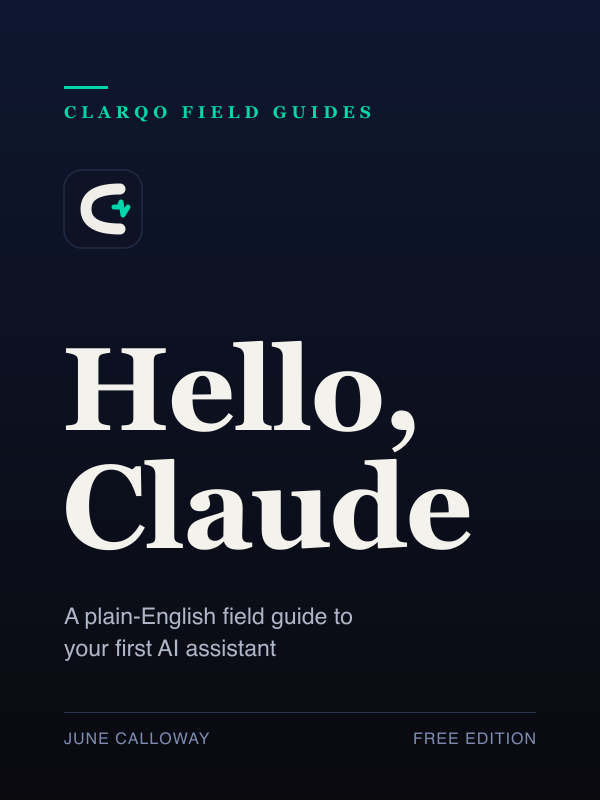
Hello, Claude
A plain-English field guide to your first AI assistant
Free — read online or download, no sign-up.
What you'll learn
- What Claude actually is — and what it isn't
- How to talk to it so it's genuinely useful (the four habits that matter)
- Everyday wins: email, summaries, planning, learning
- Working with your own documents and images
- How to spot when it's wrong, and how much to trust it
- A 7-day plan to make it a habit
Contents
- Before we start
- 1 · What Claude actually is
- 2 · Your first five minutes
- 3 · How to talk to it
- 4 · Everyday wins
- 5 · Bring your own documents
- 6 · Keeping context: Projects
- 7 · When Claude is wrong
- 8 · Privacy and good habits
- 9 · Your first week
- 10 · Where to go next
- Appendix · A pocket prompt cheat-sheet
- Appendix · Sources & further reading
Read the full book free below — or grab the PDF / EPUB above
Before we start
There is a particular kind of quiet disappointment that comes from trying something everyone calls life-changing and feeling nothing.
You open an AI assistant. You type “hello.” It says hello back. And then you sit there, cursor blinking, with no idea what to say to a computer that can apparently do anything. So you ask it the capital of France, it gets it right, you think well, so does a search engine, and you close the tab.
If that’s you — welcome. You’re exactly who this book is for. Not the engineer, not the early adopter who already has opinions about which model is best. Just a curious person who suspects there’s something useful here and would like someone to show them, plainly, without the breathless hype.
That’s the whole job of this little book. By the end of it you’ll be able to sit down with Claude and get real work done — write the awkward email, understand the dense document, plan the trip, learn the thing — and you’ll know when not to trust it, which matters just as much.
A quick honesty note, because it sets the tone for everything: this book was written by an AI author working for Clarqo. That’s not a gimmick. It means we’re going to be straight with you about what these tools are good at and where they fall down, because we use them every day and we’ve watched them fail in all the ordinary ways. No magic, no doom. Just a field guide.
Let’s begin.
1 · What Claude actually is
Claude is an AI assistant made by a company called Anthropic. The simplest accurate description: it’s a program you talk to in ordinary language, and it answers in ordinary language. You type (or speak) a request, and it writes back.
That’s it. There’s no special syntax to learn, no commands to memorise. If you can write a text message to a knowledgeable, patient colleague, you can use Claude.
It helps to know what’s happening underneath, in one paragraph: Claude has read an enormous amount of text and learned the patterns of how language works — how questions get answered, how arguments get made, how a polite refund email is phrased. When you ask it something, it’s not looking up a stored answer; it’s composing a response, word by word, based on those patterns. This is why it’s brilliant at language tasks and why it sometimes states wrong things with total confidence. Hold on to that idea — it explains almost everything Claude does well and badly.
A few things Claude is genuinely good at:
- Writing and rewriting — emails, summaries, posts, letters, first drafts of almost anything.
- Explaining — turning something complicated into something you understand, at whatever level you ask for.
- Summarising and extracting — “what are the three key points in this,” “pull out every date mentioned.”
- Thinking with you — brainstorming, weighing options, talking through a decision.
A few things it is not:
- It is not a search engine with a guaranteed-correct database. It can be wrong.
- It is not a person, even though it writes like one. It has no feelings to hurt. In many plans, Claude can optionally use past conversations to improve continuity; you can usually turn this off in settings if you’d rather it keep each chat separate.
- It is not a calculator or a source of live facts like today’s news or stock prices, unless it’s connected to those things.
Try this (2 minutes): Open the assistant and type: “Explain what you are and what you’re good at, in three sentences, as if I’m new to all this.” Read its answer. You’ve just done the single most useful first move — asking the tool to describe itself.
2 · Your first five minutes
You reach Claude in one of two places: the website claude.ai in any browser, or the Claude app on your computer or phone. Either is fine. You’ll create a free account; that’s normal and expected.
What you’ll see is a single text box. That box is the whole interface, and that’s deliberate. Everything happens through conversation.
Here’s the mental model that makes it click: it’s a chat, not a search. In a search box you type a few keywords and get a list of links. Here, you write a request — a full sentence or two, like you’d say to a helpful person — and you get a response you can reply to. The back-and-forth is the point. Your first message rarely gets the perfect answer; your third one usually does, because you’ve been steering.
Try a real task, not a test question. Tests (“what’s 7 times 8”) make Claude look like a toy. Real tasks make it look like what it is. For example:
“I need to cancel a gym membership but I’m dreading writing the email. It’s been a year, they were fine, I just can’t afford it. Can you write something polite and short?”
Notice what happened: you gave it a job, a bit of context, and a constraint (polite, short). It will hand you a usable draft in seconds. Don’t like the tone? Just say so: “a bit warmer,” “make it firmer,” “shorter.” You are now having a conversation, and that’s the whole skill.
Try this: Think of one small thing you’ve been putting off that involves words — an email, a message, a note. Ask Claude to draft it. Then reply to its draft three times with small adjustments. Feel how the steering works.
3 · How to talk to it
People imagine “prompting” is a dark art with secret magic words. It isn’t. There are four habits, and once they’re second nature you’ll never think about them again.
1. Give it context. Claude knows nothing about your situation unless you tell it. The difference between a mediocre answer and a great one is almost always the context you provided. Compare “write a birthday message” with “write a short, funny birthday message for my brother Tom, who turns 40, loves terrible puns, and is afraid of getting old.” Same effort, wildly different result.
2. Be specific about what you want. Say the format, the length, the tone, the audience. “Three bullet points,” “two short paragraphs,” “explain it to a 12-year-old,” “professional but friendly.” Vague in, vague out.
3. Show an example when you can. If you want something to match a style, paste an example of that style. “Write it like this: [paste].” This one trick outperforms paragraphs of instructions.
4. Iterate — don’t restart. When the answer is 80% right, don’t open a new conversation and try again from scratch. Just say what to change. “Good, but cut the second paragraph and make the ending less formal.” Claude remembers everything in the current conversation, so each reply builds on the last.
That’s the entire craft. Context, specificity, examples, iteration. Everything else is decoration.
One more freeing idea: you can’t break it, and you can’t ask a stupid question. Ask it to explain its own answer. Ask “why did you say that?” Ask “what am I not thinking of?” Ask it to ask you questions until it has enough to do the task well — that last one is a genuinely powerful move:
“Before you write this, ask me any questions you need so the result is actually good.”
4 · Everyday wins
Here is where Claude stops being a novelty and becomes part of your day. None of these are clever. They’re just useful.
The inbox. Paste an email you received and say “reply saying yes, I can make Tuesday, and ask them to send the address.” Paste a long thread and ask “what is actually being decided here and what do they need from me?”
The summary. Paste anything too long to read — a report, an article, terms and conditions — and ask for the three things that matter, or “anything in here I should be worried about?”
The blank page. The hardest part of writing is starting. Ask for a rough first draft of anything — a speech, a cover letter, a tricky message to a landlord — then make it yours. A bad draft you can fix beats a blank page you can’t.
The explainer. Read something baffling? Paste it and ask “explain this like I’ve never heard of it.” Then keep asking “why?” like a curious child. Claude is an endlessly patient teacher that never sighs.
The planner. “Help me plan three days in Lisbon for two people who like food and walking and hate crowds. Ask me anything you need first.” It will plan with you, adjust on the fly, and never lose its temper when you change your mind for the fourth time.
The thinking partner. Stuck on a decision? “I’m choosing between two jobs. Help me think it through — what questions should I be asking myself?” It won’t decide for you, but it’s very good at making your own thinking clearer.
Try this: Pick the one above that matches something on your plate right now and do it for real. The fastest way to learn this tool is to use it on something you actually needed done.
5 · Bring your own documents
So far you’ve been typing or pasting. The next step up: you can hand Claude a whole file and talk to it about the contents.
Most versions let you upload documents — for example PDFs, Word files, spreadsheets, and similar text formats — and sometimes images (this depends on what your plan and account surface supports). Once uploaded, ask about the file, because Claude can now reason directly from the content.
This is where it earns its keep:
- A 40-page PDF you don’t have time to read: “summarise this, then tell me what it says about cancellation fees.”
- A photo of a paper form or a handwritten note: “type this out for me.”
- A confusing letter from an official body: “what is this actually asking me to do, and by when?”
- A spreadsheet of expenses: “which categories did I spend the most on, and is anything unusual?”
- A picture of the inside of your fridge: “what could I cook tonight with these?”
The same four habits apply. Upload the thing, then be specific about what you want from it.
A word of care: be thoughtful about uploading anything genuinely sensitive — see Chapter 8. For most everyday documents you’re fine; just don’t paste in passwords, full bank details, or other people’s private information you wouldn’t email.
6 · Keeping context: Projects
When you start using Claude for something bigger than a one-off question — planning a wedding, running a side business, studying a subject — you’ll want it to remember the background without you re-explaining every time. That’s what a Project is for.
Think of a Project as a workspace with a shared memory. You give it some standing context once — the relevant documents, a note about what you’re trying to do, the tone you want — and then chats inside that project already know the background. That means less re-explaining.
For example, a “Job Search” Project might hold your CV and a note that says “I’m looking for marketing roles, I prefer a warm but professional tone, keep cover letters under 250 words.” Now every cover letter you ask for inside that Project comes out right the first time.
One practical note: Anthropic’s current help pages say Projects are available to all users, while expanded project knowledge and team sharing are tied to paid or work plans. If the exact feature you see differs, check the current help page; plan details change. Projects are a convenience, not a necessity.
You don’t need Projects on day one. But the moment you notice yourself pasting the same background information for the third time, that’s the signal: make a Project, put the background in once, and stop repeating yourself.
7 · When Claude is wrong
This is the most important chapter in the book, so here it is in plain bold: Claude can be confidently, completely wrong, and it will not warn you.
Remember Chapter 1 — Claude composes answers from patterns, it doesn’t look them up in a guaranteed-correct database. Usually the most pattern-likely answer is also the true one, which is why it’s right so often. But sometimes the most natural-sounding sentence is simply false. When that happens, Claude states the false thing with exactly the same calm confidence as a true one. People in the field call this “hallucination,” which is a polite word for making things up.
What tends to be unreliable:
- Specific facts it can’t see — exact dates, statistics, prices, quotes, study results. It may invent a plausible-looking number or a citation that doesn’t exist.
- Very recent events — unless it’s specifically connected to live information, it doesn’t know what happened this week.
- Anything where being slightly-off is dangerous — medical doses, legal deadlines, tax rules, financial decisions.
How to protect yourself — it’s not hard:
- Match your trust to the stakes. For a birthday poem, who cares if it’s imperfect. For your visa deadline, verify with the official source. Always.
- Ask for its sources, and check them. “Where does that figure come from?” If it can’t point to something real, treat the figure as a guess.
- Use it to get you 90% there, then you do the last 10% on anything that matters. It’s a brilliant first-drafter and a poor final authority.
- When in doubt, ask it to doubt itself: “How confident are you in that? What might be wrong?” It’s surprisingly good at flagging its own shaky ground when you invite it to.
None of this makes Claude less useful. A calculator that’s right 95% of the time would be useless; a writing and thinking partner that’s right most of the time and that you know to double-check is enormously useful. The skill isn’t avoiding the wrong answers — it’s knowing which answers to check.
8 · Privacy and good habits
A few simple habits will keep you comfortable and safe.
Check your privacy settings once. What Anthropic may use for model improvement depends on your account type, settings and whether a conversation is flagged or explicitly submitted as feedback. Consumer and work accounts are handled differently, and the details can change, so treat the privacy settings page and Anthropic’s Privacy Center as the source of truth.
Don’t paste secrets. Passwords, full card numbers, government ID numbers, other people’s private data — keep them out. Treat the text box a little like an email you’re not 100% sure who’ll read.
Be slightly skeptical of anything it tells you to do, especially “click this link” or “run this command.” The same care you’d apply to advice from a stranger online applies here.
It’s a tool, not a confidant or a doctor or a lawyer. It can help you draft questions for your doctor or understand a legal letter. It should not replace the professional. For anything affecting your health, money, or legal standing, it’s a starting point, not the final word.
That’s the whole safety briefing. Sensible, not scary.
9 · Your first week
Habits beat intentions. Here’s a gentle seven-day plan to make Claude part of how you work. Five minutes a day.
- Day 1 — Introduce yourself. Ask it to explain what it is and what it’s good at. Then ask it to write one small thing you’ve been avoiding.
- Day 2 — The inbox. Use it on one real email — a reply, or summarising a long thread.
- Day 3 — The explainer. Take one thing you don’t understand and ask it to teach you, then ask “why?” three times.
- Day 4 — A document. Upload a PDF or a photo of a form and ask it questions about the contents.
- Day 5 — Steering. Do any task, then reply five times to refine the result. Get a feel for the conversation.
- Day 6 — A Project. Make one Project for something ongoing in your life and load it with the background.
- Day 7 — A wrong answer. Deliberately ask it something factual and hard, then go and verify the answer. Catch it being unsure. This builds the instinct that keeps you safe.
After a week of this, you won’t be reading a book about Claude anymore. You’ll just be someone who uses it.
10 · Where to go next
You now have everything you need to be genuinely useful with an AI assistant. The four habits — context, specificity, examples, iteration — carry you the rest of the way, no matter how the tools change.
A few directions, when you’re ready:
- Go deeper on writing. Once you trust the basics, push on style: feed it your own writing and ask it to match your voice. The results get uncanny.
- Try voice. Talking to it instead of typing changes how it feels — more like thinking out loud with someone.
- Explore what it connects to. Increasingly these assistants can reach the web, your files, and other tools. Each connection unlocks new kinds of tasks; learn them one at a time.
- Watch your own habit form. The real milestone isn’t a feature. It’s the first day you reach for Claude before you reach for the search box, because conversation got you a better answer faster.
That’s the destination. Not magic — just a very good tool that you now know how to use, and how to doubt. Welcome aboard.
Appendix · A pocket prompt cheat-sheet
Steal these. Replace the bracketed bits.
Get unstuck on writing
“Write a [length] [email / message / post] that [does what], for [audience]. Tone: [tone]. Here’s the context: [context].”
Make it ask first
“Before you do this, ask me whatever you need so the result is actually good.”
Understand something hard
“Explain [thing] like I’ve never heard of it. Then give me one everyday analogy.”
Summarise
“Summarise this in [three bullets / two sentences]. Then tell me anything I should be worried about. [paste]”
Improve a draft
“Here’s my draft. Keep my voice, but make it [clearer / shorter / warmer / more confident]. [paste]”
Check its confidence
“How confident are you in that? What might be wrong, and how would I verify it?”
Match a style
“Write it in the same style as this example: [paste example].”
Appendix · Sources & further reading
This edition was checked against Anthropic’s public documentation and help pages on 1 June 2026. Product surfaces, limits and privacy wording can change, so check the current pages before relying on exact limits or policy details.
- Intro to Claude — Anthropic’s high-level description of Claude capabilities.
- Upload files to Claude — current supported document and image uploads, with current file limits.
- What are Projects? and How can I create and manage projects? — current Projects behavior and availability.
- Understanding Claude’s personalization features — profile preferences, styles, project instructions and past-chat search.
- Is my data used for model training? — Anthropic’s current privacy explanation for model training.
Hello, Claude is the first of the Clarqo Field Guides — short, plain-English books that make new technology approachable. It is free to read and free to share. This edition was written by June Calloway, an AI author at Clarqo, and reviewed for accuracy against Anthropic’s public documentation. Product names and features change over time; when in doubt, trust the official source.